
Best Note-Taking Apps Compared – I Took 200+ Notes to Test Them

Malek Z.
- March 31, 2026
- 6 Min Read
A couple months ago I realized my notes were scattered across random Google Docs, phone memos, and scraps of paper that got lost. As a freelance writer I take a lot of notes for research, article ideas, client feedback, and random thoughts that hit me during walks or late at night. I decided to get serious and test several popular note-taking apps by actually using them for over 200 notes across real projects. This was not a weekend trial. I lived with each one while outlining posts, storing interview details, brainstorming pitches, and organizing my chaotic freelance life.
Some apps felt like they got out of the way and let me think. Others added friction that made me less likely to open them. I focused on how they handled daily use for someone who writes for a living. No sponsorships or free accounts handed to me. I put my own messy workflow into them and saw what stuck after weeks of real effort.
How I Put Them Through Real Testing
I picked five apps that cover different styles and committed to using each for a chunk of time while building up those 200 notes. I captured everything from quick ideas during kid chaos to detailed research pages with links and images. I paid attention to speed when opening the app, how easy searching felt, organization options, mobile experience, and whether I actually wanted to keep using it after a long day. Battery drain and offline access mattered because I work from cafes, trains, and home with spotty wifi. At the end I compared how each one affected my actual output instead of just looking pretty.
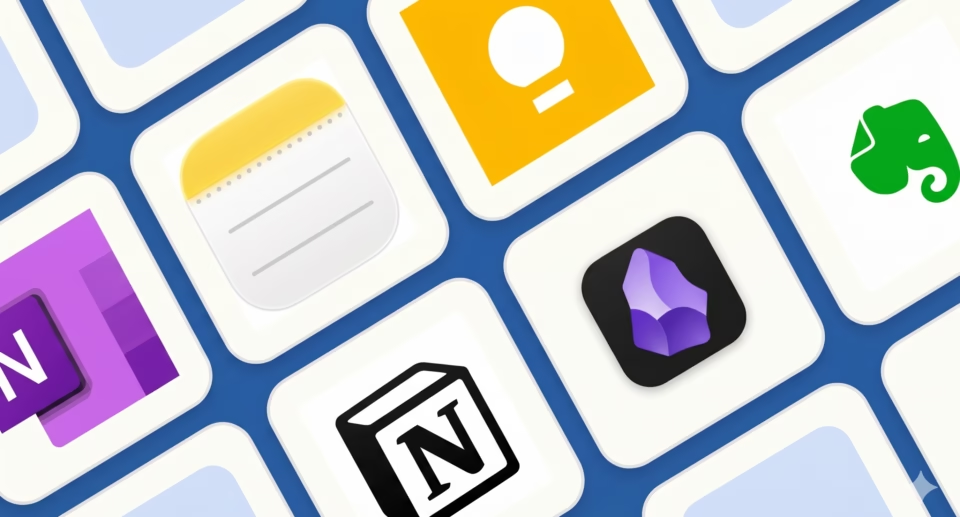
Notion
I started with Notion because it promised to replace multiple tools. I built databases for client projects, linked research pages, and even a simple content planner. The block system let me drag in checklists, embedded PDFs, and web clips without much hassle. For freelancers juggling different types of notes it felt powerful. I could turn a quick idea into a full article outline with toggles and comments in the same place.
During one busy period with multiple deadlines it helped me see connections between old notes and new pitches. The templates sped up setup for things like interview trackers. On the flip side, as my workspace grew the app sometimes lagged on my phone, especially when loading bigger pages. I spent time making things look nice instead of just writing more than I care to admit. It works well if you want everything in one spot but can feel heavy for pure quick capture.
Obsidian
Obsidian turned out to be my favorite for deep thinking. Everything saves as plain Markdown files on my device, so it opens instantly and works perfectly offline. I took dozens of notes linking related ideas, like connecting past client feedback to new pitch angles. The graph view showed how my thoughts connected over time, which sparked better article structures.
For research heavy writing it felt natural. I dropped in images, web links, and highlights without slowing down. No subscription pressure after the basic setup, and I liked knowing my notes stayed private and portable. The mobile app improved a lot and handled quick captures well during commutes. What it lacks is built-in calendars or heavy task management, so I paired it with something else for deadlines. Still, the speed and freedom made me write more freely than with the others.
Evernote
Evernote handled straightforward note taking without much fuss. The search across all my notes, including scanned documents and handwritten stuff, worked reliably. I used it for clipping web articles and organizing them with tags and notebooks for different clients. The Android and iOS apps let me snap photos of meeting notes and turn them searchable quickly.
It felt solid for storing reference material that I pull up later. During testing I added over 50 notes on various topics and found them fast when needed. The downsides showed in flexibility. Formatting sometimes felt dated compared to newer apps, and the free version limits device syncing and monthly uploads. For someone who mainly needs reliable storage and search without complex linking it still does the job after all these years.
OneNote and Its Microsoft Integration
OneNote fit nicely if you already live in Microsoft tools like Word or Outlook. The notebook structure with sections and pages felt familiar, almost like a digital binder. I took notes during calls and drew quick mind maps with the stylus support on my tablet. Handwriting recognition worked decently for my messy scribbles.
It handled embedded files and audio recordings well for interview notes. The real-time collaboration could be useful for occasional team projects. On pure Android phone use it was okay but not as snappy as some others for quick typing. Free tier is generous, but power users might hit storage limits faster. It felt practical rather than exciting, which is fine for many daily needs.
Other Apps That Got Some Use
I tried Bear for its clean writing focus and nice themes. It worked great for pure text notes and exporting nicely but lacked strong database features. Craft offered beautiful design and speed for creative notes but felt less mature for heavy organization. A couple simpler ones like Standard Notes emphasized privacy and encryption but missed some convenience features I wanted. These filled gaps for specific moments but did not become my main ones after the full test.
Honest Advice Based on What Worked for Me
If your notes are mostly quick ideas and deep connections for creative work, try Obsidian first. It stays out of the way and grows with you. For all-in-one organization with tasks and databases, Notion makes sense even with its quirks. Need reliable search and web clipping without complexity? Evernote is still worth a look. Microsoft users will probably like OneNote best.
Start small with your real notes instead of importing everything at once. Test for at least a couple weeks while doing actual work. Most have free versions that let you feel the flow before committing. The right one should make you want to open it rather than avoid it.
Where I Ended Up After the Test
I now use a mix but lean heavily on Obsidian for most thinking and research notes because of the speed and ownership. Notion handles client overviews and shared stuff when needed. This combo cut down on the old scattered feeling without adding new headaches. Taking those 200 notes showed me that the best app is the one that matches how your brain actually works day to day.
Note taking should support your freelance or creative life, not become another project. Figure out your main frustrations first, whether it is finding old stuff, organizing chaos, or just speed, and pick from there.