
Best Productivity Apps for Android in 2026 (Tested on Real Daily Use)

Malek Z.
- March 17, 2026
- 6 Min Read
A few months back my phone was full of half-used apps and reminders that never actually helped me get work done. As a freelance writer I juggle pitches, drafts, client emails, and family stuff all day. Notifications pulled me in every direction and I kept forgetting small tasks that added up. I spent the last several weeks testing a bunch of productivity apps on my Android phone, using them for real parts of my routine like morning planning, research note taking, deadline tracking, and winding down at night. This is not a quick list from the Play Store. It is what held up when I was tired, distracted, or rushing between gigs.
I focused on apps that work well on Android without needing a computer all the time. Some made my days feel smoother. Others added more noise than help. I included the ones that stuck around in my setup after honest daily use. No sponsorships here. Prices and features shift, but these are the ones that actually moved the needle for me.
How I Tested These Apps
I picked five that cover different needs and rotated through them over several weeks. I used them for actual freelance work: blocking time for writing, capturing ideas on the go, tracking client follow-ups, and reviewing what got done at the end of the day. Battery impact, Android integration like widgets and notifications, and how easy they were to open when I only had a few minutes mattered a lot. Some apps looked great at first but got abandoned when real life got messy.
Todoist for Everyday Tasks
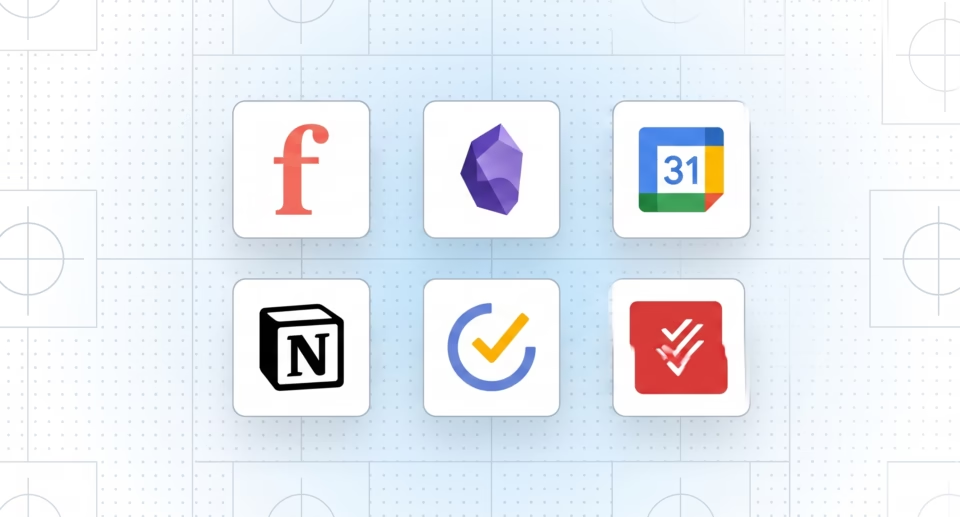
Todoist became my main go-to for keeping track of what needed to happen each day. The natural language input made adding tasks fast. I could type “write 800 words blog post due tomorrow #writing @high” and it sorted everything automatically. On Android the widgets and quick add from the notification shade saved me time when ideas hit during walks or while waiting in line.
I liked seeing the karma points and streak counters because they gave a small sense of progress without feeling gimmicky. For client work it handled recurring tasks like monthly invoices nicely. The search worked well when I needed to pull up old notes from past gigs.
Battery use stayed light and it worked offline when I was on spotty connections. The free version covers most solo needs, though I ended up paying for reminders and labels after a couple weeks. The main complaint was that it stays mostly task focused. It does not replace a full note system for deep research.
TickTick and Its Calendar Features
TickTick surprised me by combining tasks and calendar in one spot better than I expected. I used the Pomodoro timer during focused writing blocks and the habit tracker for things like daily reading or exercise. The Android app feels snappy with good widget options that show upcoming tasks right on my home screen.
For freelancers it handled my mix of client deadlines and personal stuff without forcing me into separate apps. I set up lists for different projects and the voice input worked reliably when driving or cooking. Battery impact was reasonable even with location-based reminders.
What I did not love was occasional sync hiccups when switching between phone and tablet. The premium features like advanced filters felt worth it for me, but beginners might stick with free. Overall it felt like a practical daily companion rather than something I had to fight with.
Notion
Notion worked best for me when I needed more than just tasks. I built simple databases for client info, content ideas, and research notes. The Android app lets you edit pages on the go, which helped during research at the park with the kids. Templates for freelance trackers saved setup time.
It shines when you want everything linked together in one workspace. I could jump from a task to full notes without copying links around. However on pure phone use it sometimes felt slower as my pages grew. I caught myself tweaking layouts instead of writing more than once. For quick daily checks it worked, but I paired it with something lighter for on-the-fly tasks. Great for planning but not always the fastest for execution.
Google Calendar and Tasks Together
I kept coming back to Google Calendar with its built-in Tasks for the basics. Since it is native on Android the integration is seamless with my other Google stuff. Widgets show the day ahead without opening another app. Color coding helped separate client work from family commitments at a glance.
It does not have fancy AI or habit tracking, but that simplicity meant I actually used it every day. Adding events or tasks from voice commands worked well while multitasking. For freelancers who do not want another login it covers a surprising amount. The limits show when you need deeper project views or custom reports, but for most daily planning it just works without friction.
A Few Other Apps I Kept Using
Obsidian stood out for deep note taking and linking ideas. The Android app with plugins let me build a personal knowledge base that felt fast and private. It is not a full task manager but pairs perfectly with the others for research heavy writing. Battery use is low and offline access is reliable.
Focus@Will or similar timer apps helped during deep work sessions by pairing music with timed blocks. They kept distractions down without being complicated. A couple others like basic habit trackers or quick capture tools filled gaps but did not become daily staples because they overlapped too much with the main ones.
What I Would Tell Someone Starting Out
If your days involve lots of small tasks and follow-ups, start with Todoist or TickTick. They feel native on Android and help you ship work without much setup. For creative freelancers who need space for notes and planning, Notion or Obsidian add the flexibility. Keep Google Calendar in the mix because it is hard to beat for scheduling.
Test them with your real freelance or daily stuff for at least a week. What looks perfect in screenshots might not fit how you actually move through the day. Most have free versions worth trying before paying.
Where I Landed After Testing
These apps did not magically fix all my productivity struggles, but together they cut down on the mental load and helped me get more writing done without constant stress. Todoist and TickTick saw the most daily opens on my Android phone because they stayed practical. The others filled important gaps without taking over.
Freelancing or busy life already has enough moving parts. The right apps should support your flow instead of creating new work. Try a couple based on your main pain points and adjust from there.