

I Tested 7 AI Writing Tools for 30 Days – Here’s What Actually Worked

Malek Z.
- February 6, 2026
- 6 Min Read
I have been freelancing as a full time writer for more than five years. Most of my days involve creating blog posts, product descriptions, email campaigns, and the occasional short story for myself. Like many writers I know, I hit that wall where staring at a blank screen ate up more time than actual writing. The promises about AI tools sounded too good, so I finally put them to a real test. I chose seven popular ones and used them every day for a full month on actual client work and personal projects. Nothing fake or simplified. Just real deadlines and real pressure.
This is my honest take from hands on experience. I am not here to push any tool or repeat what everyone else says. I tracked what saved time, what needed heavy fixes, and what actually helped me produce work that felt like mine.
After years of writing, I noticed my output slowing down because of burnout and too many projects at once. I had tried a few AI tools casually before but never committed to daily use. This time I wanted answers to practical questions. Does the output sound human? How much editing is still needed? Is it worth the monthly cost for someone working solo?

I spent my own money, roughly two hundred to two hundred fifty dollars across subscriptions and trials. Each tool got at least ten to fifteen hours of serious use. I wrote everything from SEO articles to creative pieces. By day thirty I had clear winners and some that did not make the cut for my workflow.
ChatGPT Plus turned into my go to for starting projects. It excelled at research and creating solid outlines. One morning I needed a fifteen hundred word article on productivity habits. Within minutes it gave me a structure that covered angles I had not considered. I fed it samples of my previous writing and it started matching my conversational style better than I expected.
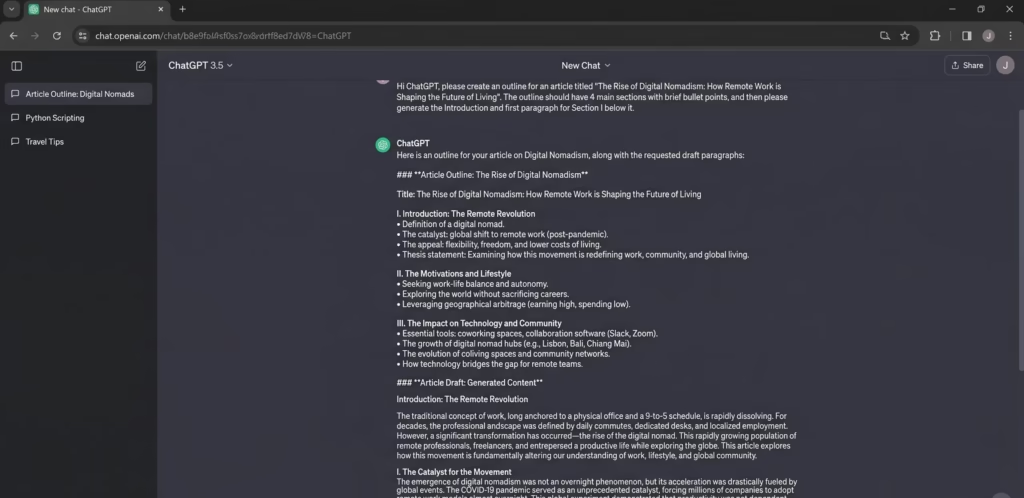
The voice feature was a nice bonus. I used it to brainstorm during breaks and it felt like talking through ideas with a smart colleague. At twenty dollars a month it offers good value. Still, I had to watch for repeated phrases if I left prompts too open. Breaking tasks into smaller steps helped a lot.
Claude Pro delivered the most natural writing overall. When I asked for a personal style piece about dealing with creative blocks, the result carried real emotion and flow without sounding stiff. I could give detailed instructions about tone and it followed them closely. This one needed the least rewriting on longer opinion pieces.
The limits on messages during busy days were frustrating at times but the quality made up for it. I found myself reaching for Claude when I wanted the draft to feel closer to something I would write myself after a few edits.
Jasper worked well for brand consistent marketing content. I set up a project for a fitness client and it kept the energetic tone across emails and landing pages. The templates and SEO tools are useful if you produce high volumes of work.
For my solo needs though it felt a bit pricey compared to the direct models. I often ended up copying its output into another tool for final polishing. It suits teams better than individual writers in my experience.
Copy.ai shines for quick short form tasks like social media captions and headlines. I generated a month of LinkedIn posts for a coaching client in one sitting. The variety was decent at first but I noticed repetitive patterns after a while. I still rewrote most of them to make them feel authentic.
It is fast and the interface is simple which I appreciated on long days. I used it less as the month went on because other tools handled both short and long work better.
Sudowrite brought the most enjoyment when I worked on creative writing. I had a short story project that kept stalling. Its rewrite and brainstorm features helped me push through stuck points with fresh scene ideas and vivid descriptions. It felt built for writers rather than marketers. If you mix storytelling into your blogs or work on fiction this tool adds a special flavor. The price is higher but the specialized help made it worth keeping for those moments when ideas run dry.
WriteSonic gave solid value especially with its SEO features. I created a few full blog posts and the keyword integration helped one of them perform better than expected in search. The unlimited options on some plans are attractive for heavy users.
The output sometimes felt formulaic so editing remained necessary. It sits in a good middle ground for cost but quality sat a step below Claude for me.
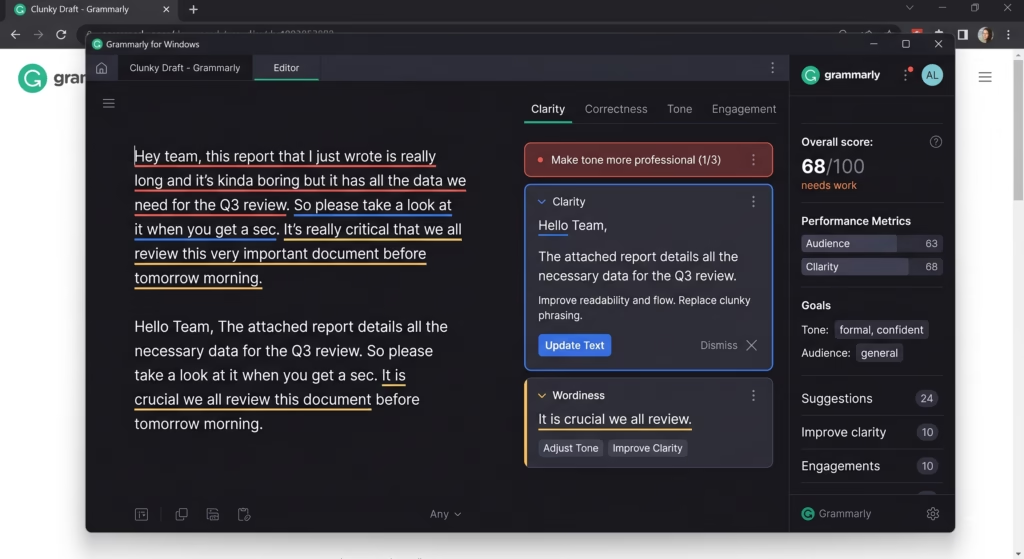
Grammarly Premium is not a full writing tool but it became essential for everything else. I ran every AI draft through it for tone adjustments, clarity, and catching small errors. The AI rewrite features helped refine sections while keeping context. This is the one tool I would never drop. For anyone publishing online it makes the final product feel professional and readable.
What I Learned After Thirty Days
No single tool replaced me as the writer. The best results came from mixing them. I might outline with ChatGPT, draft the core with Claude, add creative touches from Sudowrite, and polish everything in Grammarly. This combination cut my usual four to five hour articles down to one or two hours while keeping the final voice mine.
Pure AI text without my changes felt flat and sometimes too perfect in a boring way. Readers notice that. I always added personal stories from my years of freelancing, real client examples, and my honest opinions. That made the difference.
One unexpected challenge was fact checking. The tools sometimes made up details so I double checked anything important. Longer projects also needed careful context management. I would remind the AI of earlier sections to keep things consistent.
My final Workflow relies on Claude and ChatGPT as the foundation, Grammarly for finishing touches, and Sudowrite when I need extra creativity. The others did not earn daily spots but they taught me what to look for.